Creating e-learning courses is faster and easier than ever, thanks to AI-powered authoring tools. These platforms generate course outlines, quizzes, and lesson plans from simple prompts or existing materials, cutting development time by up to 40%. Whether you're a business aiming to train employees or a school creating study materials, these tools simplify the process without requiring technical skills. Here's a look at the top 7 platforms:
- ProProfs Training Maker: Generates courses from prompts or uploads (e.g., PDFs, PowerPoints) with gamification features and flexible pricing starting at $1.99 per active learner/month.
- Easygenerator: Converts documents into structured courses, supports collaboration, and offers plans starting at $108/month.
- Lectora: Drafts mobile-friendly courses in under a minute, with advanced customization and pricing starting at $129/month.
- Articulate 360: Combines slide-based and block-based tools with AI for rapid course creation, priced at $1,199/year for individuals.
- isEazy Author: Uses AI for interactive courses with translation and branding options, starting at $77/month.
- Elucidat: Tailored for large teams, it automates course outlines and translations, with pricing from $1,650/user annually.
- TTMS AI4E-learning: Converts internal resources into SCORM courses using a Microsoft Word interface, with custom pricing.
These platforms streamline e-learning creation, enhance collaboration, and support global training needs. Below is a quick comparison for clarity.
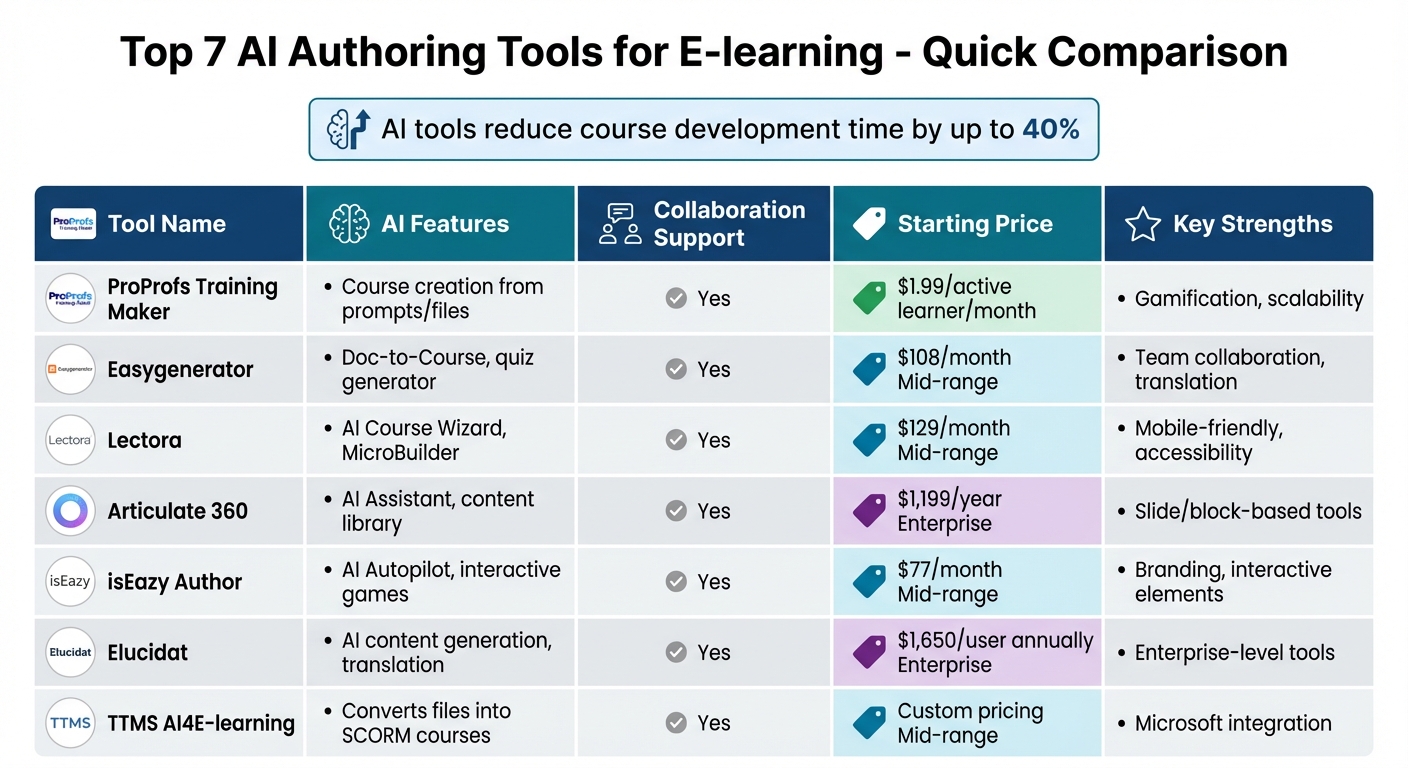
AI E-learning Authoring Tools Comparison: Features, Pricing & Key Strengths
5 Best Authoring Tools for Online Courses in 2025 (Free + Paid Breakdown)
sbb-itb-e3aed85
Quick Comparison
| Tool | AI Features | Collaboration | Starting Price | Key Strengths |
|---|---|---|---|---|
| ProProfs Training Maker | Course creation from prompts/files | Yes | $1.99/active learner/month | Gamification, scalability |
| Easygenerator | Doc-to-Course, quiz generator | Yes | $108/month | Team collaboration, translation |
| Lectora | AI Course Wizard, MicroBuilder | Yes | $129/month | Mobile-friendly, accessibility |
| Articulate 360 | AI Assistant, content library | Yes | $1,199/year | Slide/block-based tools |
| isEazy Author | AI Autopilot, interactive games | Yes | $77/month | Branding, interactive elements |
| Elucidat | AI content generation, translation | Yes | $1,650/user annually | Enterprise-level tools |
| TTMS AI4E-learning | Converts files into SCORM courses | Yes | Custom pricing | Microsoft integration |
These tools cater to different needs, from small teams to large enterprises, making e-learning development faster and more efficient.
1. ProProfs Training Maker
AI-Powered Content Generation Capabilities
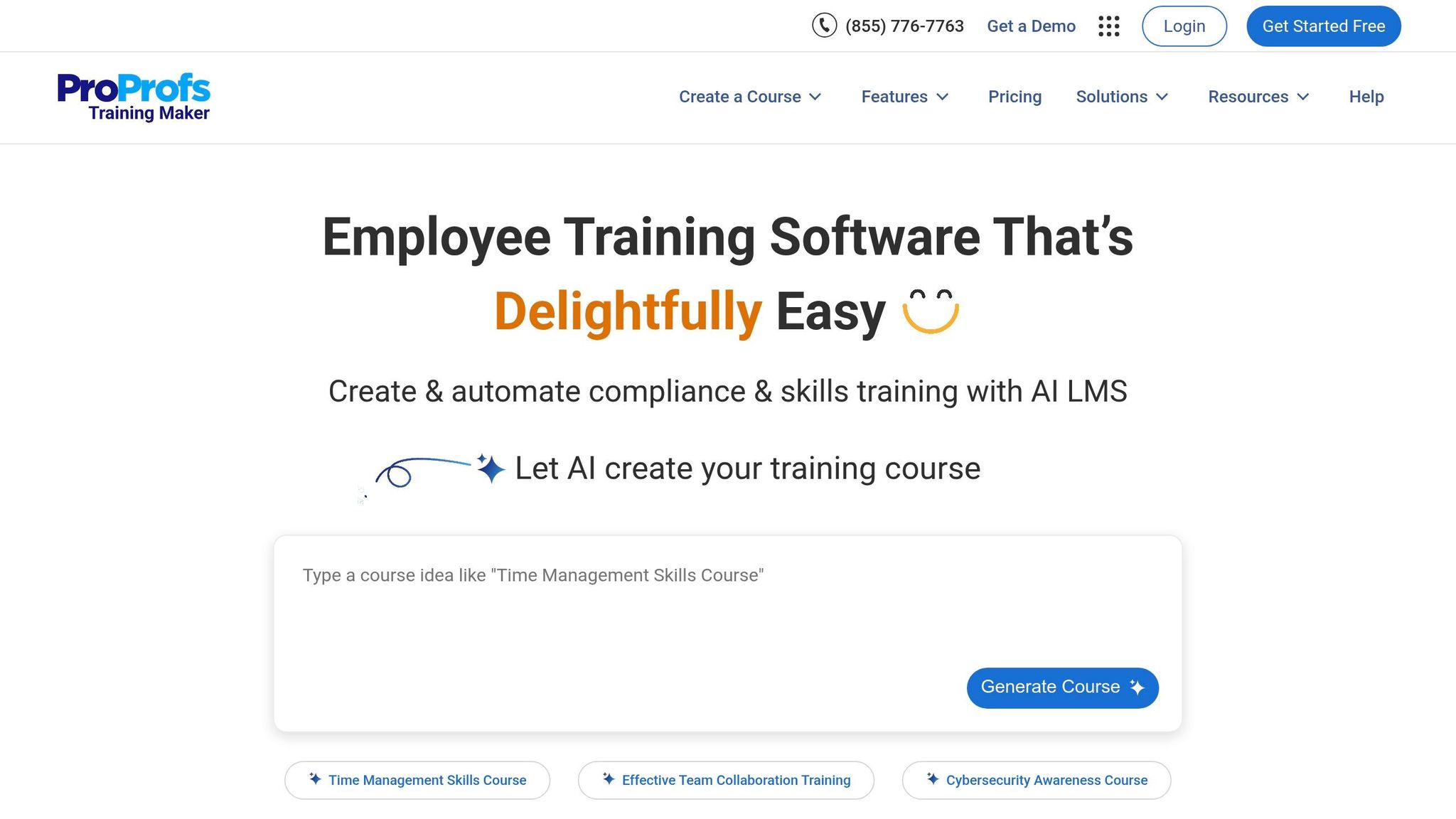
ProProfs Training Maker allows you to create entire courses from just a single text prompt. For example, type in a topic like "Preventing bias in performance reviews", and the AI will generate a complete course outline, complete with chapters, lessons, and quizzes. You can also easily transform PowerPoint slides, PDFs, Word documents, recorded webinars, or YouTube videos into interactive courses.
One standout example: a mortgage firm used ProProfs AI to develop an Anti-Money Laundering (AML) course, complete with automatic scoring and certificates. This process reduced their course setup time from 3 days to just 3 hours. Similarly, a federal agency leveraged the platform to create mandatory compliance courses for over 1,000 employees by uploading existing PDFs and scripts. To date, the platform has been used to build more than 100,000 courses for over 4 million learners.
Customization and Interactivity Features
ProProfs makes it easy to refine AI-generated courses directly within the platform, allowing you to adjust tone and branding as needed. With over 100 customization options, you can modify branding, privacy settings, and security features.
Additionally, you can incorporate multimedia elements like videos, podcasts, and presentations. To boost engagement, the platform offers gamification features such as badges, learning paths, and brain games. These options make it simple to tailor courses to your organization’s specific needs.
Pricing and Scalability for Organizations
ProProfs employs an "active learner" pricing model, meaning you only pay for users who actively engage with training each month. The free plan accommodates 10 learners with full features, while the Essentials plan starts at just $1.99 per active learner per month.
The platform scales effortlessly from small businesses to large enterprises, offering features like Single Sign-On (SSO) and integrations with tools like Salesforce, BambooHR, Microsoft Teams, and Zoom. It also supports over 70 interface languages, making it ideal for global training initiatives.
"ProProfs enabled training for hundreds of employees across the US and Canada with over 3,000 sessions delivered." - Troy Marble, Safety Manager
2. Easygenerator
Easygenerator simplifies course creation by combining intuitive design with AI-driven tools, making it a standout option for e-learning development.
AI-Powered Content Generation Capabilities
The platform's EasyAI Suite makes it easy to create e-learning courses from scratch or repurpose existing materials. For instance, the Doc-to-Course feature automatically converts static files - like PDFs and PowerPoints - into structured courses, extracting key details and suggesting outlines. You can also use the Question Generator to create quizzes and knowledge checks based on your course content, encouraging active learning and better retention.
With over 50,000 authors across more than 2,000 companies using Easygenerator, its tools clearly resonate with a broad audience. Best of all, these AI features are included in every subscription plan, so there are no hidden costs.
But Easygenerator isn’t just about automation - it also emphasizes interactivity and teamwork.
Customization and Interactivity Features
The platform's drag-and-drop editor allows users to create polished courses with ease. Interactive elements like flipcards, scenarios, videos, and clickable images make the learning experience more engaging. With EasyVideo, you can even produce professional training videos that include interactive features like embedded questions and call-to-action buttons.
Easygenerator also supports instant translation into more than 75 languages, making global training initiatives simple. Additionally, you can personalize courses with your brand’s colors, fonts, and logos for a professional finish.
Collaboration and Team Functionality
Collaboration is a key focus for Easygenerator. It supports real-time co-authoring, allowing teams to work on courses simultaneously while providing inline feedback. The Dynamic SCORM export feature ensures any updates made to course content are automatically synced across your LMS - no need to re-upload files. This feature is particularly useful for supporting Employee-generated Learning (EGL), where subject-matter experts can directly contribute training content, reducing the burden on L&D teams.
"If we wouldn't have started with Easygenerator, we wouldn't be able to produce as much content to train our customers and service providers as we are now." - Cecilie Tystad, Training Director Sales & Service, Electrolux
Pricing and Scalability for Organizations
Easygenerator offers three pricing options to suit different needs:
- Pro: $108/month for one user, up to 10 courses, and 100 learners.
- Team: $541/month for five users with unlimited courses and learners.
- Enterprise: Custom pricing for unlimited users, courses, and learners.
A 14-day free trial is available, and discounts are offered to educational institutions and non-profits.
The platform’s scalability has delivered impressive savings for organizations like BHP, a global resources company. Rob Jack from BHP shared that the company was on track to spend less than $100,000 on risk-related training using Easygenerator - far below the historical cost of $500,000. With a 4.8/5 rating on G2, users frequently highlight its user-friendly interface and ability to produce high volumes of content quickly.
Easygenerator’s pricing and features position it as a powerful SaaS application for business efficiency for transforming how organizations create and manage e-learning content.
3. Lectora
Lectora provides a fast and flexible approach to e-learning development, combining AI-driven course creation with advanced customization options.
AI-Powered Content Generation Capabilities
Lectora Online's AI Course Wizard can draft a complete course in about 60 seconds. Just input your topic, pick a theme, and the wizard generates 1 to 15 pages of structured content, including text blocks and image placeholders, all in a mobile-friendly layout. This feature simplifies the initial stages of course creation, making it quicker to get started.
For microlearning needs, the MicroBuilder AI tool delivers structured content and interactive quizzes. It also supports AI-powered translation in over 60 languages and includes text-to-speech capabilities. The integrated Asset Library offers access to over 120 million stock images, videos, and templates, giving creators plenty of resources to work with. Once a draft is created in Lectora Online, it can be exported to Lectora Desktop for more detailed offline editing.
This streamlined draft creation process lays the groundwork for deeper customization.
Customization and Interactivity Features
Lectora's Responsive Course Design (RCD) ensures content scales seamlessly across desktops, tablets, and smartphones using an inheritance model. The platform allows developers to build complex interactions - like branching scenarios, drag-and-drop activities, and conditional interactions - without needing to write code.
"In Lectora, developers can create complex interactions in minutes that would take hours in any other program."
- Domenic Caloia, Johnson Controls
Lectora also prioritizes accessibility, meeting WCAG 2.1 AA and ADA standards. For those seeking advanced functionality, custom CSS and JavaScript can be integrated for highly tailored interactions.
Beyond its content creation tools, Lectora emphasizes collaboration and efficient project reviews.
Collaboration and Team Functionality
Lectora Online supports real-time collaboration on a cloud-based platform. Its ReviewLink tool enables easy sharing of course drafts with subject-matter experts, allowing them to provide feedback directly within the context of the course - no additional accounts or downloads required. For teams needing offline access or enhanced IT security, Lectora Desktop offers full local control while maintaining robust authoring features.
Pricing and Scalability for Organizations
Lectora offers three pricing tiers to suit different needs:
- Studio Gold Suite: $129/month (billed annually), which includes Lectora Online, Lectora Desktop, MicroBuilder, the Asset Library, and ReviewLink.
- The Studio: Starting at $879/month (billed annually), this option provides access to 9+ learning applications for more immersive experiences.
- MicroBuilder (Standalone): $109/month (billed annually).
A 30-day free trial is available for the Studio Gold Suite. Whether you're an individual developer or part of a large team, Lectora's pricing and features are designed to scale with your needs.
"I absolutely adore the platform and have a hard time believing that anything else will ever replace it in my eyes."
- Andy Lockwood, Auto-Owners Insurance
Lectora's extensive toolset makes it a dependable choice for developers and teams looking to create engaging and efficient e-learning experiences.
4. Articulate 360
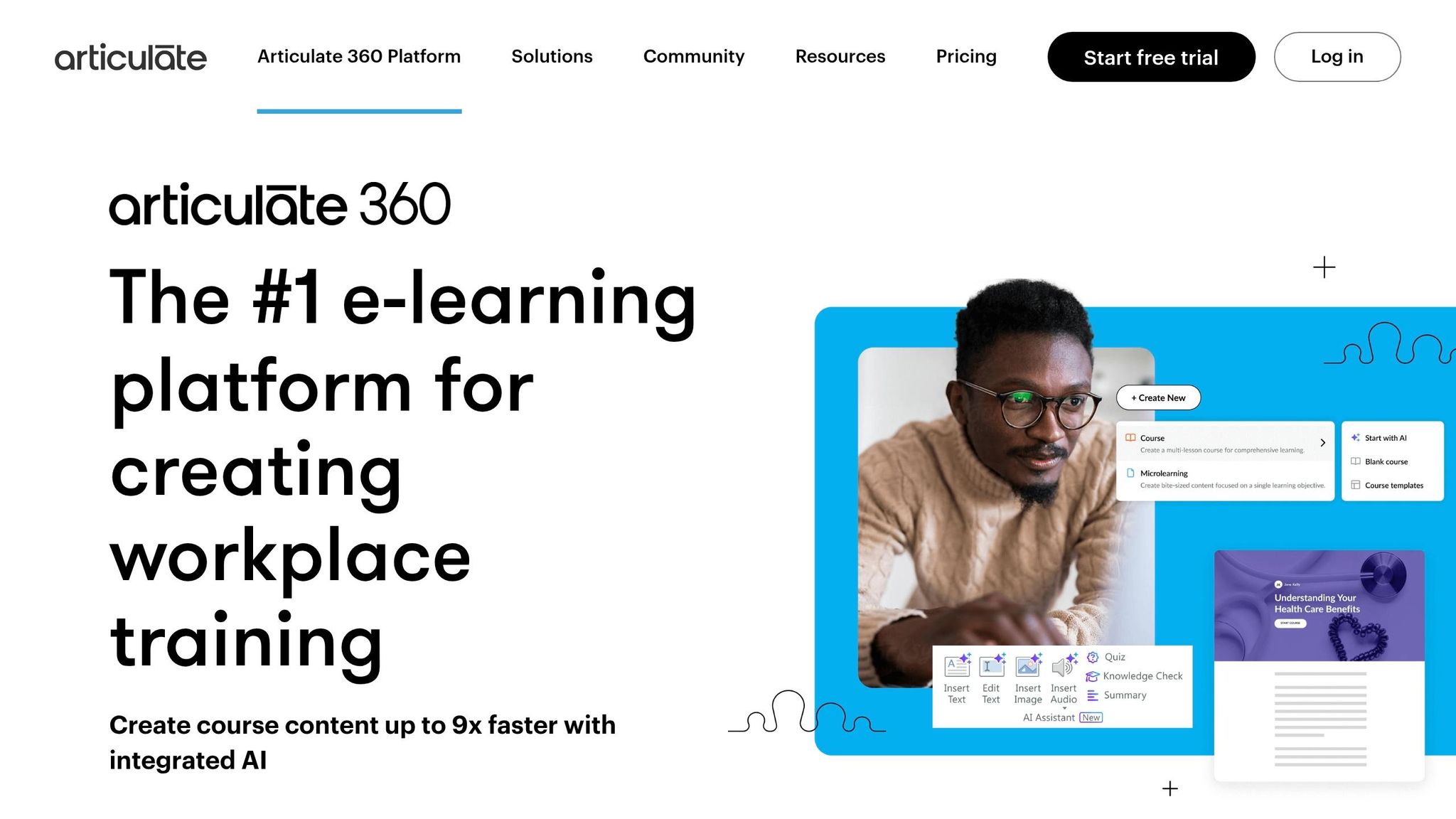
Articulate 360 is a trusted platform used by industry leaders worldwide to train millions of learners. This suite combines two powerful course creation tools - Storyline 360, ideal for detailed, slide-based interactions, and Rise 360, designed for quick, block-based course development. Both tools now feature integrated AI capabilities to simplify and speed up the creation process.
AI-Powered Content Generation Capabilities
Articulate 360 uses AI to make course creation faster and easier. The AI Assistant, embedded in both Rise 360 and Storyline 360, can transform a simple prompt or document into a complete course draft in just minutes, cutting development time by up to nine times. It instantly converts text into interactive elements like flashcards, timelines, and labeled graphics. The AI Assistant also generates images tailored to course content, provides natural-sounding text-to-speech narration in multiple languages, and creates custom quiz questions that align with the course material.
Additionally, the Content Library offers access to over 13 million royalty-free assets, including photos, templates, and dynamic characters with adjustable poses and expressions.
"With AI Assistant, it took me 15 minutes to create an initial draft of a course that might have otherwise taken me weeks to create."
- Agustina Videla, E-Learning and Digital Coordinator
Customization and Interactivity Features
Both Storyline 360 and Rise 360 provide extensive tools for designing engaging and interactive courses. Storyline 360 uses features like slide layers, triggers, states, and variables to create custom interactions - such as clickable, hoverable, or draggable elements that trigger specific actions. Rise 360 simplifies the process with modular blocks, including sorting activities, labeled graphics, accordions, and processes, all of which automatically adjust to any screen size.
Both tools also support branching scenarios, allowing creators to design immersive learning paths. Storyline 360 enables highly detailed scenarios, while Rise 360 offers a scenario block for skill-based applications. Courses can be translated into over 80 languages, including right-to-left ones like Hebrew and Arabic, making it a practical choice for global training programs.
Collaboration and Team Functionality
Articulate 360’s Teams plan includes features designed for seamless collaboration. Team Slides allow organizations to share reusable content, while Co-authoring in Rise enables team members to work on courses simultaneously in real time. The Review 360 app simplifies the approval process by letting stakeholders provide direct, in-context feedback on course slides.
For larger organizations, Articulate 360 meets high-security standards, including Single Sign-On (SSO), FedRamp, ISO27001, and SOC-2 certifications.
"AI Assistant is exactly the force multiplier that I have been looking for."
- Alex Matheson, Education Services Manager, Code42
Pricing and Scalability for Organizations
Articulate 360 is available through annual subscription plans:
- Personal Plan: $1,199/year (Standard) or $1,449/year (with AI Assistant)
- Teams Plan: $1,499/year (Standard) or $1,749/year (with AI Assistant)
Discounts are offered for educational institutions. A 30-day free trial is available, with no credit card required, allowing organizations to explore all features - including the AI Assistant - before making a commitment.
5. isEazy Author
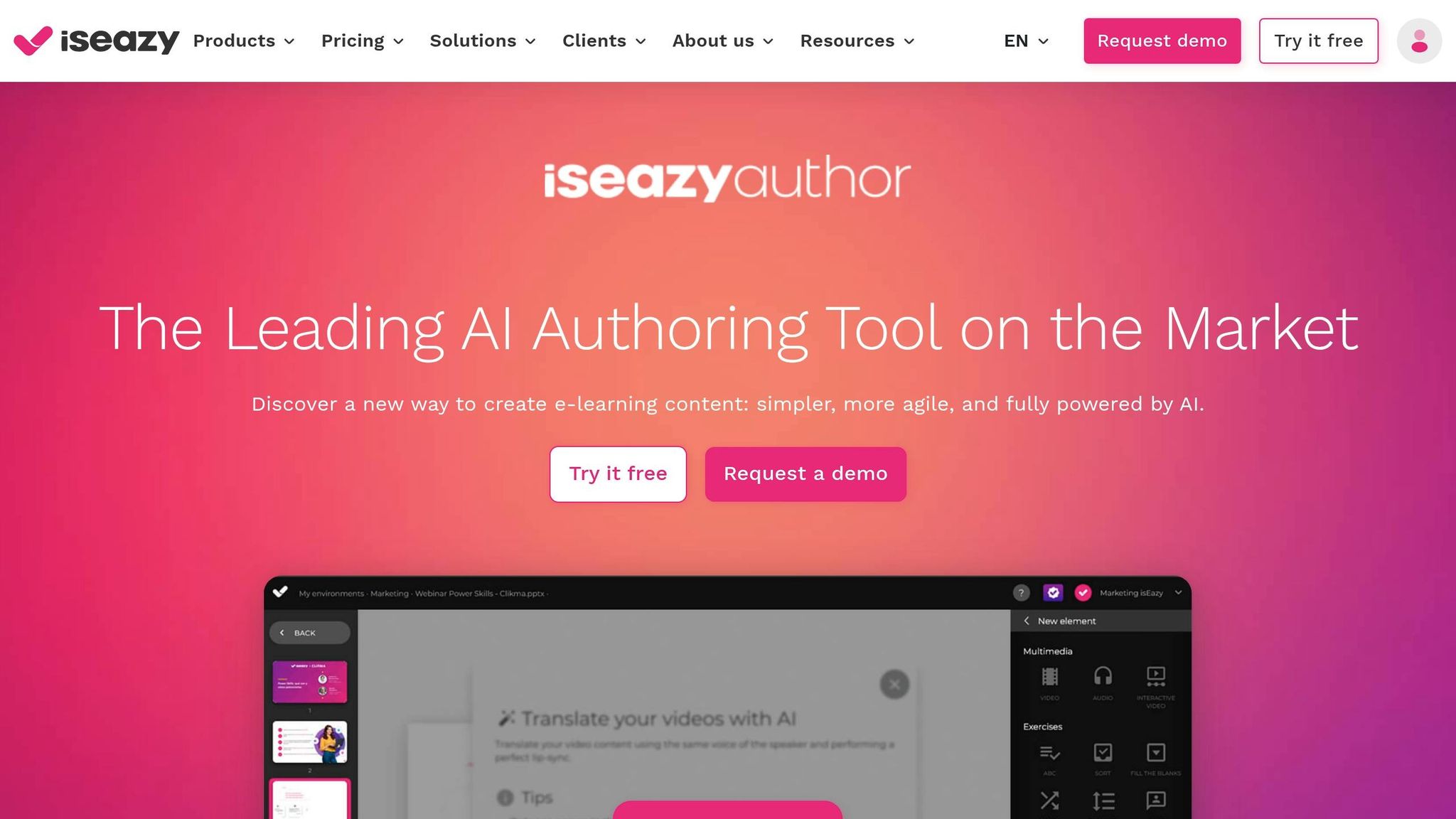
isEazy Author is a cloud-based platform that uses AI to simplify and speed up e-learning development. Named one of the Top 20 AI-powered content creation and authoring tools for 2025 by Training Industry, it holds a 90% overall rating on eLearning Industry. Trusted by global companies like MAPFRE, BBVA, Telefónica, and Vodafone, it stands out as a go-to solution for creating engaging online courses.
AI-Powered Content Generation Capabilities
The platform's AI Autopilot feature can turn basic ideas or uploaded documents into fully-structured, interactive courses. This includes automatically adding design elements and interactivity. isEazy Author also creates multimedia assets like AI-generated images, avatar-driven video presenters, and automated voiceovers. For added engagement, it offers interactive games such as trivia, memory challenges, and word puzzles, along with exercises and assessments based on course content. These tools can cut course development time dramatically - up to 10 times faster.
"With AI-generated games and avatars, our learners are not just consuming content - they're engaging with it. This has made a huge difference in our training culture."
- Miguel Herraiz, Global E-learning Coordinator at Prosegur
All these automated features work seamlessly alongside the platform's customization options.
Customization and Interactivity Features
Beyond automation, isEazy Author allows users to personalize their courses extensively. It includes over 25 multimedia elements, such as hotspots, branching scenarios, and carousels. The Brand Kit ensures consistent use of corporate logos, fonts, and colors, while the Smart Colors feature lets users quickly adjust entire color schemes. Accessibility is also a priority, with dual-mode options supporting 100% of WCAG 2.1 AA and 80% of AAA standards. Plus, the WYSIWYG editor provides real-time previews. For global reach, courses can be translated into over 40 languages with a single click.
Collaboration and Team Functionality
isEazy Author makes teamwork easy with real-time collaborative editing, enabling multiple contributors to work on a project simultaneously. Features like role-based permissions, project transfers, and centralized folders help streamline team workflows. Security is a priority too, with enterprise-level protections such as Single Sign-On (SSO) and advanced access controls. Completed courses can be exported in SCORM 1.2, SCORM 2004, or xAPI/Tin Can formats, or shared via a direct link or PDF.
Pricing and Scalability for Organizations
The platform offers flexible pricing options to suit different organizational needs:
- Free Plan: Includes up to 3 projects with no time limit, perfect for testing the platform.
- Professional Plan: Costs $77 per month, offering one author 5 GB of storage.
- Business Plan: Priced at $208 per month for two authors and 12 GB of storage.
- Enterprise Plan: Custom pricing with features like SSO and scalable storage for larger teams.
Whether you're a small team or a global enterprise, isEazy Author provides tools and pricing options to fit your e-learning goals.
6. Elucidat
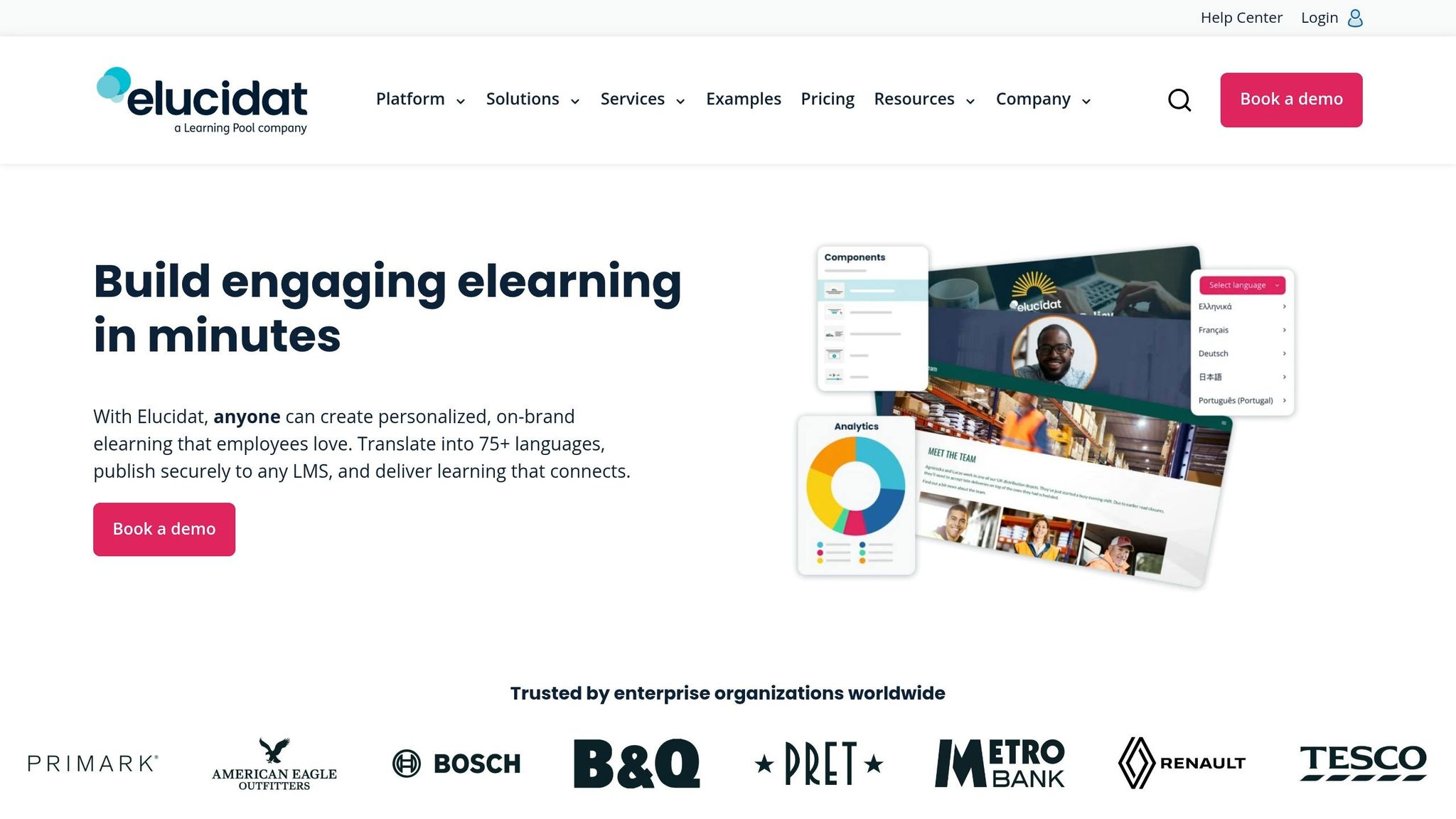
Elucidat is a cloud-based platform designed to streamline e-learning production for large organizations. Recognized for its capabilities in enterprise-scale training, it helps global companies like Aramex create courses up to four times faster than traditional methods, thanks to features like the Elucidat Expert AI assistant and robust collaboration tools. This efficiency highlights the growing influence of AI in course development.
AI-Powered Content Generation Capabilities
Elucidat’s AI simplifies course creation by generating outlines based on proven learning design principles. You can upload PDFs to build a knowledge base, which the AI uses to craft tailored projects complete with outlines, components, and content. The platform can also enrich courses with engaging introductions, summaries, and knowledge checks. Additional features include text-to-speech for instant audio creation and Auto-Translate, which converts content into over 75 languages in seconds. By defining specific objectives and target audiences, you can ensure the AI produces content that aligns with your needs.
"Elucidat has been incredible for us because it has helped us reduce the time we spend on translation, but also being able to translate in languages that we were not able to, before."
- Roxane Deschambault, Global Director of Learning and Development, Aramex
Customization and Interactivity Features
Elucidat offers tools to create dynamic and engaging learning experiences. Features like branching video, social polling, gamification badges, and personalized learning paths allow for interactive and customized courses. The platform ensures brand consistency with locked templates for fonts, colors, and logos across all projects. Accessibility is a priority, with content designed to meet WCAG 2.1 AA and Section 508 standards, including screen reader compatibility and keyboard navigation. The Variations Manager makes localization easier by allowing updates to a parent file to automatically apply to all localized versions. Additionally, the Rapid Release feature lets you update live courses instantly, eliminating the need to re-upload SCORM packages to your LMS.
Collaboration and Team Functionality
Elucidat is built to support collaboration within large teams. It offers custom user roles, permissions, and department-based organization to manage access effectively. The Review Mode enables subject matter experts to leave feedback directly in the tool, while external reviewers can use secure, time-limited links for input. A centralized asset library ensures consistent updates to images and videos across all projects without manual effort. With ISO 27001 certification and GDPR compliance, Elucidat provides 99.9% uptime and encrypts data both in transit and at rest.
Pricing and Scalability for Organizations
Elucidat’s pricing is structured to accommodate teams of various sizes:
- Growth Plan: Starting at $1,650 per user annually for teams of 3–5 users, this plan includes AI content creation, PowerPoint import, stock imagery, and text-to-speech.
- Team Plan: Designed for up to 20 users, it includes all Growth Plan features plus company templates and custom user roles. Pricing is available upon request.
- Enterprise Plan: Built for 50+ users, this plan includes translation management, Auto-Translate with a glossary, and Single Sign-On (SSO). Custom pricing is available.
A 14-day free trial is offered after booking a demo.
"We have more learners accessing learning than ever before, with greater levels of completion… and we're producing more content while spending less money, which is kind of the holy grail."
- Paul Bird, Learning Technologies Manager
Next, we’ll dive into TTMS AI4E-learning to explore more ways to accelerate course creation.
7. TTMS AI4E-learning
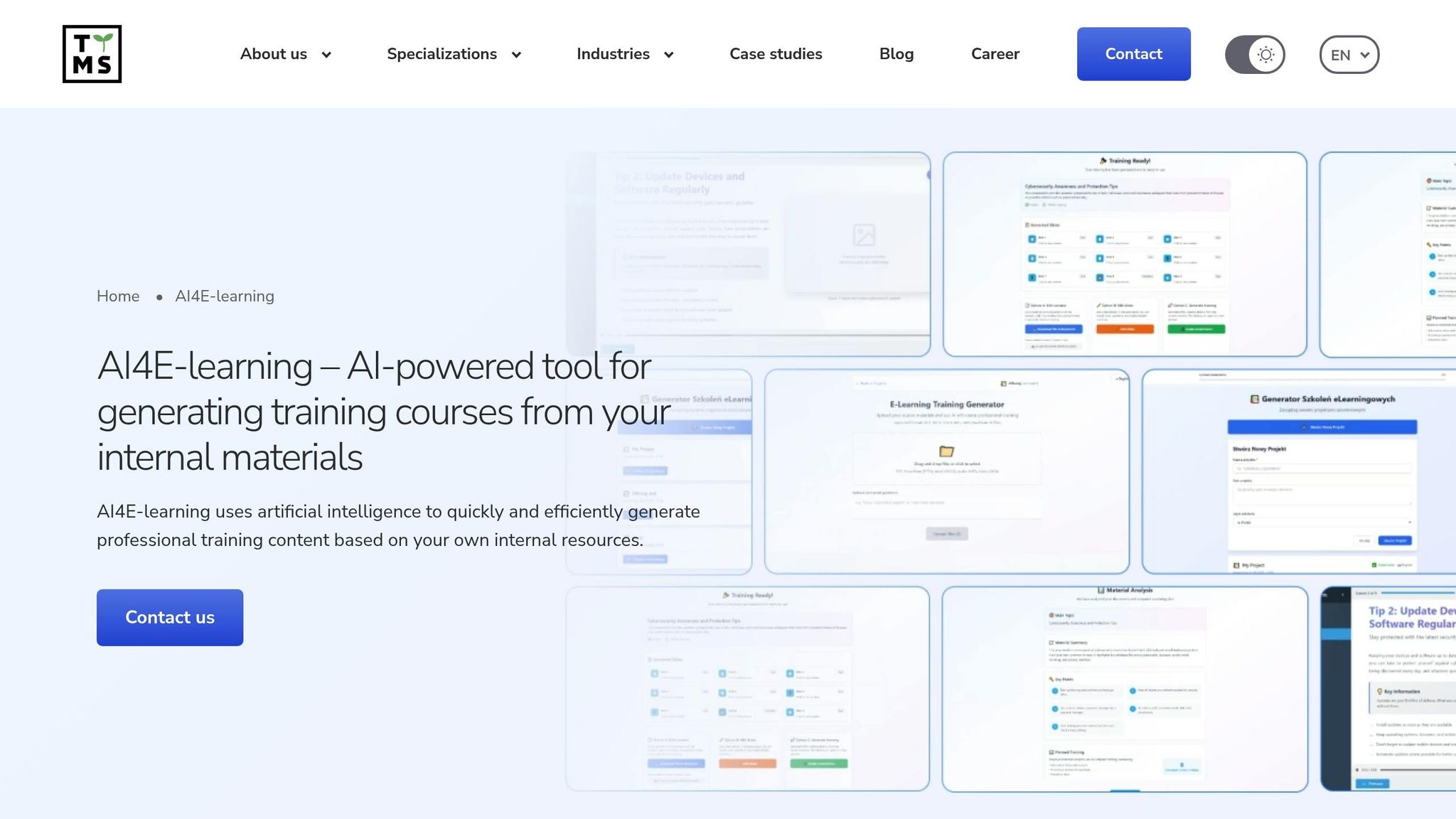
TTMS AI4E-learning takes existing internal resources and transforms them into SCORM courses in just minutes. Instead of starting from scratch, the platform converts documents, presentations, and media files into polished e-learning materials. This makes it an excellent option for organizations with large knowledge bases stored in various formats. By leveraging AI, it simplifies and accelerates content creation.
AI-Powered Content Generation Capabilities
The platform uses AI to analyze internal resources and generate training scenarios, interactive courses, and role-specific learning paths. What makes this tool stand out is its editing interface - users can refine AI-generated content directly in Microsoft Word. This eliminates the need for specialized software, making it easier for subject matter experts to make adjustments. The familiar Word interface significantly reduces the learning curve.
Beyond editing, the platform supports one-click translation into multiple languages, including English and German, while maintaining a responsive design. It also creates training scenarios and multimedia presentations for live training sessions, enhancing the overall learning experience.
"With AI4E-learning, you can significantly accelerate the entire content development cycle." - TTMS
TTMS AI4E-learning also integrates seamlessly with Microsoft 365 via Azure OpenAI. Importantly, sensitive corporate data stays secure, as it is not shared externally or used to train public AI models.
Pricing and Scalability for Organizations
The platform offers custom pricing tailored to the specific needs of each organization - interested users can contact TTMS directly for a quote. Its scalability is a key strength, supporting everything from one-time training initiatives to ongoing learning programs as the organization grows. Thanks to its low technical barrier and Word-based editing, teams can create content quickly without needing extensive training on new software.
"It's a future-proof solution that grows with your organization, continuously learning from your content to provide even smarter suggestions and efficiencies over time." - TTMS
Feature and Pricing Comparison
Here's a breakdown of features and pricing for some of the top AI-powered authoring tools, offering a clearer view of how they stack up. For pricing, ProProfs Training Maker starts at $1.99 per active learner per month. Elucidat's Growth plan is $1,650 per user annually for small teams. Meanwhile, Articulate 360 offers individual plans ranging from $1,099 to $1,199 per year, with team plans priced between $1,499 and $1,749 per user annually. These differences can help you pinpoint the right solution for your team's needs.
When it comes to AI capabilities, Easygenerator and Articulate 360 focus on refining content and generating quizzes. On the other hand, Elucidat takes a more automated approach, creating complete course structures from PDFs or simple prompts. AI integration has proven to cut course development time by up to 40%, which aligns with the fact that 74% of learning and development professionals now prioritize ease of use when evaluating tools.
Your current tech setup can also influence the value of these tools. For example, if your team relies on Microsoft PowerPoint, iSpring Suite might be an ideal choice. Its base plan costs $770 annually, while the AI-enhanced version is $1,290 per year, integrating interactive tools to streamline course creation.
"Integration of PowerPoint with interactive tools in iSpring Suite AI simplifies the authoring process, allowing educators to focus on content quality rather than technical hurdles." - Anna Poli, Senior Instructional Designer at iSpring
For teams on a tighter budget, Easygenerator's Pro plan is a solid option at $1,399 per year for one author. Larger teams can opt for the Team plan, which scales to $6,995 annually for five or more authors. Lectora offers plans starting at $999 per year, with a bundled online and desktop package priced at $1,548 annually. Most modern tools also support SCORM, xAPI, and cmi5 standards, ensuring compatibility with various LMS platforms.
Cloud-based tools are another game-changer, enabling real-time collaboration and automatic updates without manual installations. This collaborative functionality can reduce course development time by up to 30%, a significant benefit considering that 53% of course creators spend three months or more on a single e-learning course.
User satisfaction ratings highlight how these tools perform in practice: Easygenerator scores an impressive 4.8 out of 5 on G2, Articulate 360 follows closely with 4.7 out of 5, and Lectora earns a solid 4.1 out of 5. These ratings reflect the balance of features, ease of use, and overall value offered by each platform.
Conclusion
Innovative SaaS business software like AI-powered authoring tools are transforming e-learning development, trimming production time by 40% and enhancing engagement levels. For example, the Irish Rugby Football Union leveraged Articulate's AI Assistant to onboard subject matter experts 75% faster. What used to take three days - creating an initial course draft - was reduced to just 15 minutes.
When choosing the right tool, it’s essential to consider your team’s workflow and priorities. Tools like iSpring Suite offer familiar interfaces, while cloud-based platforms such as Easygenerator and Elucidat provide flexible pricing and features tailored to different needs. The key is finding a solution that complements your team’s processes and goals.
"AI is a game-changer, especially for small teams like ours. It's nothing to be afraid of. It allows us to focus on what really matters, like refining our curriculum, discussing new strategies, and improving our services." - Agustina Bruno Videla, Learning and Digital Coordinator, Irish Rugby Football Union
Before fully integrating AI-generated content, test it within your LMS to ensure compatibility with SCORM or xAPI tracking. Human oversight remains critical to reviewing AI outputs for accuracy and relevance. With 98% of global executives acknowledging AI’s importance over the next 3–5 years, adopting these tools now can help your organization scale training efforts without compromising quality.
AI tools not only speed up content creation but also enhance collaboration across various formats. To select the best platform, identify your primary challenge - whether it’s reformatting documents, creating multilingual courses, or building interactive simulations. Most platforms offer free trials, providing an opportunity to evaluate how well they fit into your workflows before making a financial commitment.
FAQs
Which tool works best for my team size and budget?
When choosing an AI authoring tool, your team's size and budget play a big role. For smaller teams or those working within tight budgets, LearnWorlds and Visme stand out as user-friendly options. Both offer free trials or sign-up options, making them accessible without a significant upfront investment.
On the other hand, larger teams or those requiring more advanced features might lean toward tools like Elucidat, Articulate, iSpring Suite, or Adobe Captivate. These platforms are designed for scalability, offer robust collaboration features, and come packed with a wide array of functionalities. However, keep in mind that these options typically come with a higher price tag.
Will these courses work in my LMS (SCORM/xAPI)?
Yes, courses made with these tools are typically compatible with your LMS if they’re exported as SCORM or xAPI packages. Most popular authoring tools are designed to support these standards, making it easier to integrate your e-learning content seamlessly into your LMS.
How can I ensure AI-generated content is accurate and compliant?
To maintain accuracy and meet compliance requirements, it's essential to combine AI tools with human expertise. Involve instructional designers and subject matter experts to review and refine the content, ensuring it aligns with established standards such as SCORM or xAPI. Many AI-powered eLearning tools come equipped with built-in features for content validation and compliance checks, making this process more efficient. Additionally, staying up-to-date with regular updates and adhering to industry standards is key to maintaining both quality and compliance.
