In 2026, safeguarding your source code is more critical than ever. While platforms like GitHub, GitLab, and Bitbucket are reliable, they operate under a shared responsibility model - your data's safety ultimately rests with you. Risks like accidental overwrites, ransomware, or service outages (common issues managed by content management systems) can lead to severe financial and operational consequences. Regulatory frameworks such as NIS2 and DORA further demand robust software resilience, with non-compliance fines reaching millions.
Key Features to Look For:
- Automated Scheduling: Regular backups without manual effort.
- Granular Restore Options: Recover specific files or branches quickly.
- Security and Compliance: AES-256 encryption, SOC 2 Type II, and ISO 27001 certifications.
Top Tools:
- GitProtect: Cross-platform recovery, disaster recovery features, starts at $80/month.
- Rewind: Metadata protection, compliance-focused, starts at $14/month.
- Backrightup: Ransomware protection, BYOS support, starts at $9/month.
- Codekeeper: Backup and legal safeguards, starts at $89/month.
- Fossilizer: Flexible, usage-based pricing starting at $5/GB.
- Git Backup Pro: CLI-driven, affordable at $4.99/month per user.
- Sleek Git Backup: Free tier for small teams, Pro plans start at $19/month.
Quick Comparison:
| Tool | Platforms Supported | Key Features | Starting Price |
|---|---|---|---|
| GitProtect | GitHub, GitLab, Bitbucket | Cross-platform recovery, disaster recovery | $80/month |
| Rewind | GitHub | Metadata protection, compliance | $14/month |
| Backrightup | GitHub, GitLab, Bitbucket | Ransomware protection, BYOS | $9/month |
| Codekeeper | Multiple | Backup and legal safeguards | $89/month |
| Fossilizer | Multiple | Flexible, usage-based pricing | $5/GB |
| Git Backup Pro | GitHub | CLI-driven, affordable | $4.99/month/user |
| Sleek Git Backup | Multiple | Free tier, continuous backups | $19/month |
To choose the right tool, consider your team size, budget, and recovery needs. Smaller teams might prefer affordable options like Backrightup or Sleek Git Backup. Larger or regulated organizations should prioritize tools with compliance certifications and advanced recovery features, such as GitProtect or Rewind.
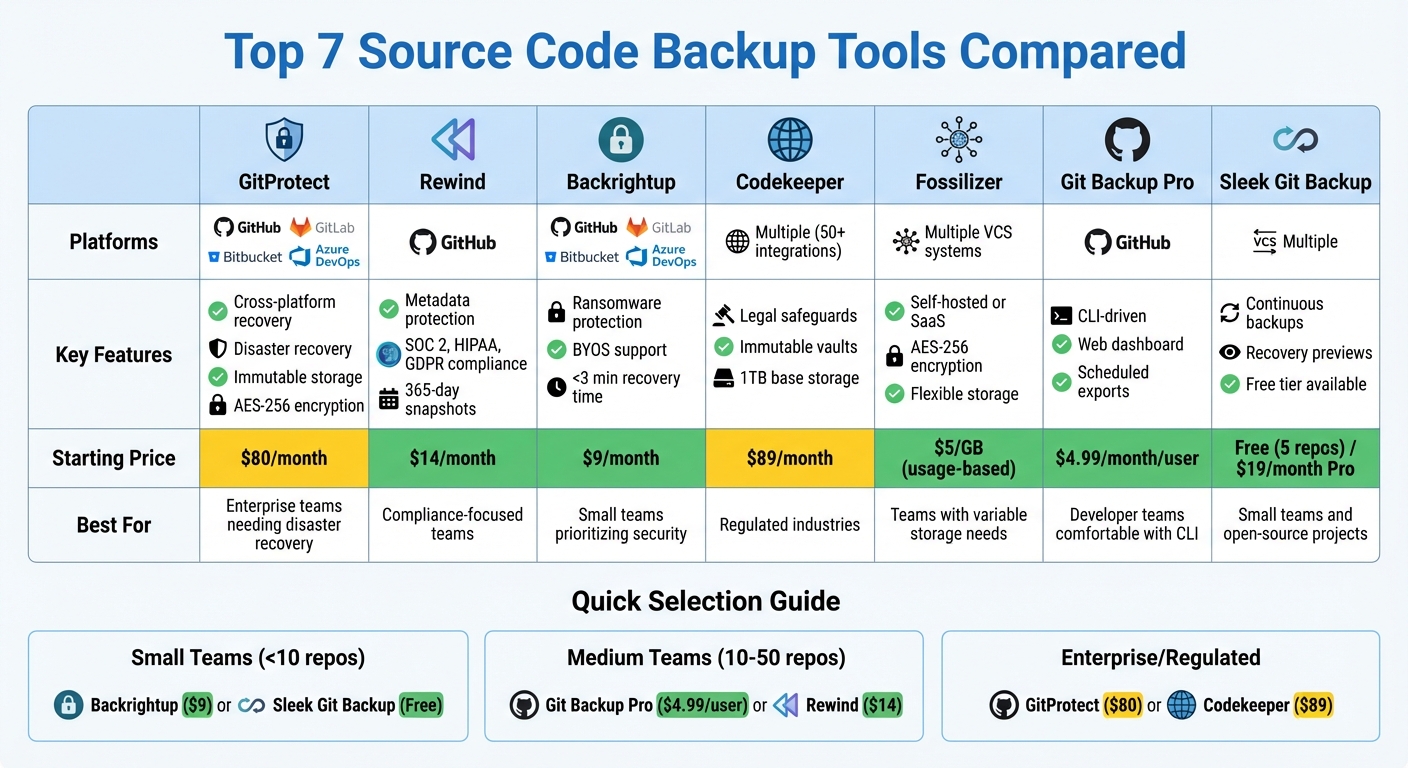
Source Code Backup Tools Comparison: Features, Pricing & Platform Support
What to Look for in Source Code Backup Tools
Not all backup tools are created equal. The best ones save time, ensure quick recovery, and meet high security standards. Here’s what sets robust tools apart from the rest.
Automated Scheduling
Relying on manual backups is risky - human error or fragile scripts can lead to failures. Automated scheduling solves this by running backups at regular intervals, whether every 10 minutes, hourly, or daily, depending on your Recovery Point Objective (RPO). This ensures your data is consistently protected.
For example, Rewind automates backups for over 25,000 organizations, handling about 86TB of data every week. Denis Ah-Kang from W3C highlights the benefits:
Building, maintaining and upgrading custom scripts takes a lot of time and effort... Rewind provides us with the scalability, security, storage and support we need.
Selective Restore Options
Accidents happen, but you shouldn’t have to restore an entire repository just to recover a single file or branch. Tools with granular restore capabilities let you retrieve specific items like files, branches, pull requests, issues, or wikis without disrupting the rest of your data. This approach significantly reduces Recovery Time Objectives (RTO).
GitBackups, for instance, boasts an average recovery time of under 3 minutes with its one-click restore feature. Advanced tools also include point-in-time recovery, allowing you to revert to a specific snapshot from hours or days ago. Some even support cross-platform restoration or utilize open-source SaaS solutions, such as migrating data between GitHub and GitLab. Together, these features complement automated scheduling, forming a well-rounded backup strategy.
Security and Compliance
Effective backup tools don’t just store your code - they protect it. Since your code is a critical asset, the tool you choose should offer top-tier security measures. Look for AES-256 encryption for data both at rest and in transit, along with certifications like SOC 2 Type II and ISO 27001. Features like Role-Based Access Control (RBAC), SAML/SSO integration, and detailed audit logs are also key for tracking every backup and restore action.
For companies in regulated industries, data residency controls are crucial. These allow you to choose where backups are stored - whether in the US, EU, UK, or Australia. Ransomware protection is another must-have, with features like immutable storage (WORM - Write Once, Read Many) ensuring backups remain untouched even if primary systems are compromised. Uttej Badwane, Senior Security Engineer at Carta, shares his perspective:
Rewind doesn't just give us a full backup of the codebase with just a few clicks; it also gives us a business continuity plan in the event of the worst-case scenario.
sbb-itb-e3aed85
7 SaaS Tools for Source Code Backup and Restore
These tools bring together automation, detailed restore options, and strong security measures to protect your source code. Each one has its own strengths when it comes to security, simplicity, and pricing.
GitProtect by JSCramo
GitProtect focuses on disaster recovery and benefits from 16 years of experience in backups and cybersecurity. It automates backups for repositories and includes metadata like pull requests, issues, wikis, LFS files, and pipelines. Its standout feature is "True Disaster Recovery," which allows you to restore data to the same account, migrate it to a new account, save it locally, or even switch platforms between GitHub, GitLab, or Bitbucket.
The tool ensures security with AES-256 encryption, user-managed keys, ransomware-proof WORM-enabled technology, and immutable storage. It also meets SOC 2 Type II and ISO 27001 standards. For efficiency, GitProtect uses a "Forever Incremental" scheduler to reduce storage and boost performance. Users on G2 appreciate its "automated backup solutions" and "unlimited storage capacity".
Plans start at $80/month for up to 70 repositories (Team plan) and $155/month for Enterprise.
Rewind Backups for GitHub
Rewind prioritizes compliance and time efficiency, making it ideal for teams seeking straightforward automated backups. It protects metadata like pull requests and issues, with snapshots available for up to 365 days on Enterprise plans. Trusted by over 25,000 organizations, including large users like Mercado Libre, it supports more than 13,000 repositories.
The platform offers SOC 2, HIPAA, and GDPR compliance and provides flexibility with either managed cloud storage or BYOS (Bring Your Own Storage). Denis Ah-Kang from W3C highlights its reliability:
Rewind provides us with the scalability, security, storage and support we need. With our growing list of repositories, we don't need to worry about API rate limiting or storage space anymore.
Pricing starts at $14/month or $4/user/month for up to 99 users, with Enterprise plans starting at $400/month.
Backrightup
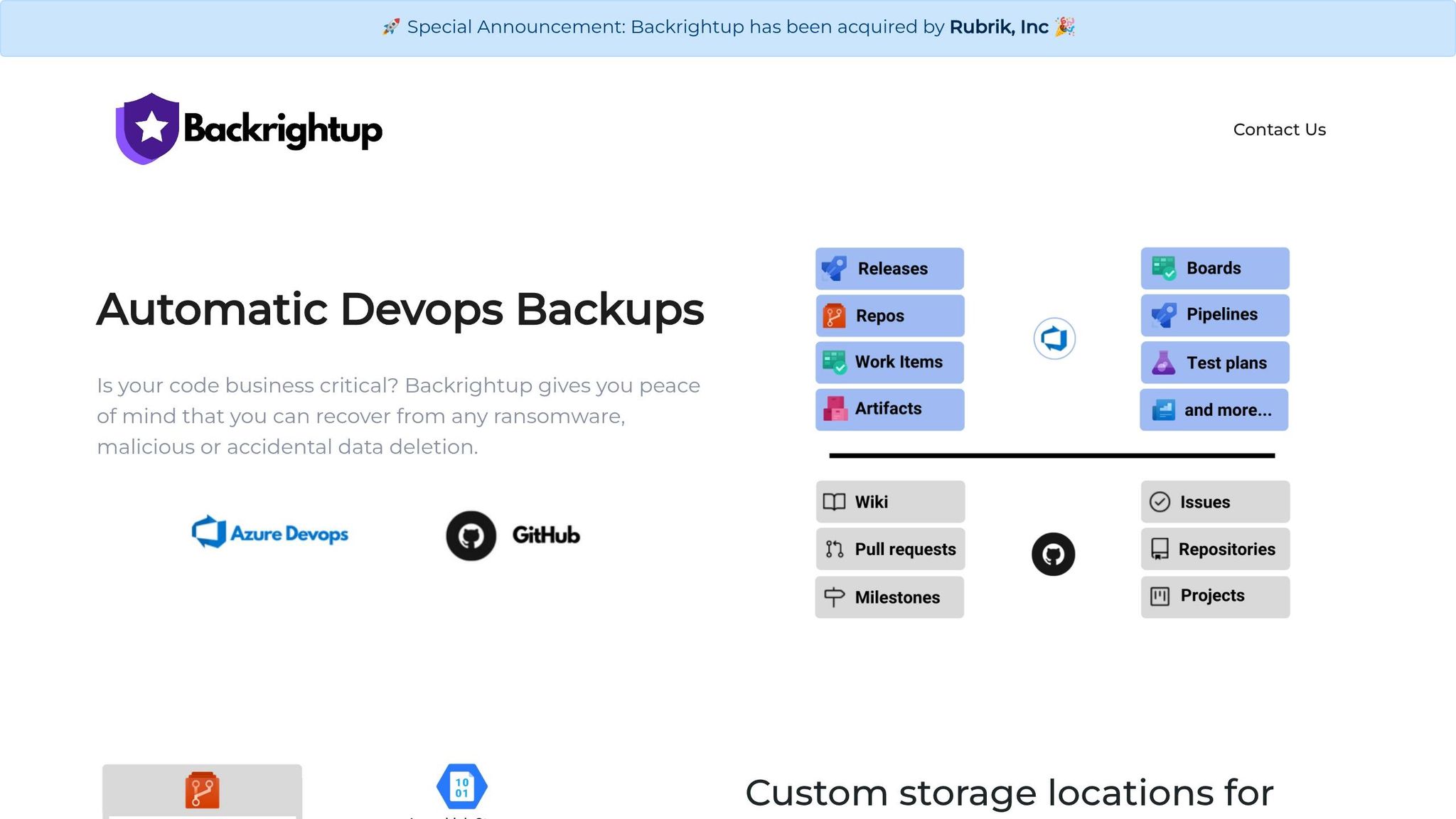
Backrightup (also called Gitbackups) focuses on low-maintenance and ransomware protection with immutable storage options. It offers nightly incremental backups for platforms like GitHub, GitLab, Bitbucket, and Azure DevOps. With a two-minute setup and "restore to sandbox" functionality, it lets teams test recovery processes before actual crises.
The platform boasts an average recovery time of under three minutes and claims a 100% success rate. Marcus Chen, VP Engineering at Ledger Financial, shared:
After the Azure DevOps outage last year, we realized we were one incident away from losing everything. GitBackups was running in production within an hour.
Plans range from $9/month for 10 repositories with 10GB storage (Starter) to $39/month for unlimited repositories (Team).
Codekeeper
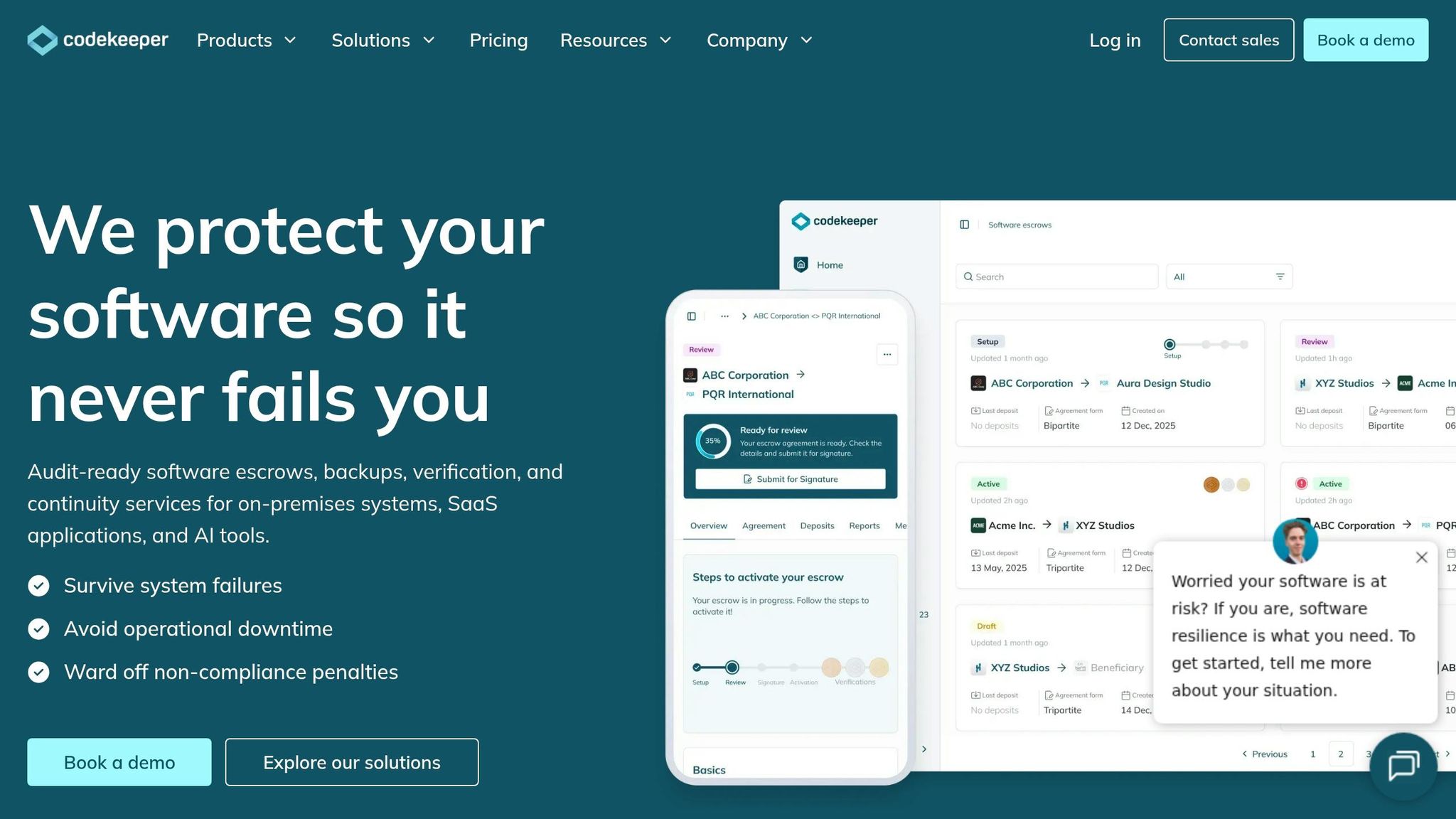
Codekeeper combines backup services with legal safeguards, making it a great choice for companies needing both operational and legal protection. It supports over 50 integrations and offers immutable vaults, catering to regulated industries. Trusted by over 3,500 organizations across 150+ countries, it’s designed for reliability.
Features include SOC 2 and GDPR compliance, with 1TB of base storage and the option to purchase more. Plans start at $89/month for Software Backup and $129/month for Software Escrow.
Fossilizer
Fossilizer provides flexible storage and security, offering both self-hosted and SaaS backup options. With AES-256 encryption and support for multiple version control systems, it’s a versatile choice. Instead of fixed monthly fees, Fossilizer uses usage-based pricing starting at $5/GB, making it an affordable option for smaller teams or those with limited storage needs.
Git Backup Pro
Git Backup Pro focuses on a CLI-driven approach, supported by a web dashboard for easy monitoring. It offers scheduled exports and restores, catering to developer teams comfortable with command-line tools. At $4.99/month per user, it’s an affordable solution for small to medium-sized teams looking for straightforward backups.
Sleek Git Backup
Sleek Git Backup provides continuous Git backups with recovery previews and support for popular version control platforms. Its free tier covers up to five repositories, making it perfect for small teams or open-source projects to try out. Pro plans, starting at $19/month, include extended retention and priority support. The continuous backup system minimizes data loss, and recovery previews ensure teams can verify backups before restoring. This makes it a practical choice for teams at various stages of growth.
Tool Comparison
Comparison Table
When it comes to backup tools, there are clear differences in platform compatibility, pricing structures, and recovery options. Some tools cater to multiple version control systems, while others focus on a single platform, offering more detailed protection for metadata.
Pricing varies widely - some tools charge per repository, others per user, or even based on usage. Storage options also differ, ranging from managed cloud services to BYOS (Bring Your Own Storage) solutions like AWS S3, Azure Blob, or Google Cloud Storage. Most tools provide automated scheduling, with backups typically running nightly or daily.
All tools ensure robust security with AES-256 encryption and SOC 2 Type II compliance. However, certain tools, such as GitProtect and Backrightup, go a step further by offering features like immutable storage and the ability to restore across platforms. Below is a table highlighting the core differences between these tools:
| Tool | Supported Platforms | Restore Options | Key Features |
|---|---|---|---|
| GitProtect | GitHub, GitLab, Bitbucket, Azure DevOps | Cross-platform recovery | Automated backups, immutable storage, disaster recovery |
| Rewind | GitHub | Granular restoration | Detailed metadata backup, strong compliance standards |
| Backrightup | GitHub, GitLab, Bitbucket, Azure DevOps | Full recovery | Automated scheduling, BYOS support, advanced security features |
How to Choose the Right Tool
Choosing the best backup tool depends on your team’s size, technical requirements, and budget. Look for features like automated scheduling, granular restores, and strong security to ensure your data is protected. Here's how to approach the decision based on your team’s needs:
For smaller teams managing fewer than 10 repositories, simplicity and affordability are key. Tools such as Backrightup ($9/month for 10 repositories) or Sleek Git Backup (free tier for up to five repositories) are excellent options. These tools offer automated daily backups without requiring much technical expertise. As Marcus Chen, VP of Engineering at Ledger Financial, explained:
After the Azure DevOps outage last year, we realized we were one incident away from losing everything. GitBackups was running in production within an hour.
Building your own backup solution might sound tempting, but the cost of development and maintenance often far exceeds the annual fees for these tools.
For larger teams managing 50 or more repositories, your needs become more complex. You’ll want tools that can back up not just repositories but also pull requests, issues, wikis, and pipelines. Additionally, consider tools that support BYOS (Bring Your Own Storage) to maintain control over your data. Options like Git Backup Pro ($4.99/month per user) or GitProtect ($80/month) provide scalable solutions while keeping costs predictable.
Enterprise teams, especially those in regulated industries, have even stricter requirements. Look for tools with compliance certifications like SOC 2 Type II or ISO 27001, along with advanced disaster recovery capabilities. GitProtect excels in this area, offering cross-platform restoration, which can be a lifesaver during major outages. For example, it allows recovery from Azure DevOps to GitHub. A representative from The Wharton School shared:
I worked with other backup products and never felt comfortable that the backup plan was going to work as expected [until using GitProtect].
Before committing to a tool, define two critical metrics: Recovery Time Objective (RTO) - how quickly you need to be back online - and Recovery Point Objective (RPO) - how much data you can afford to lose. These metrics will guide your decision and help you choose a solution that aligns with your business needs.
For more tools across various SaaS categories, check out the All SaaS Software Directory, curated by John Rush. It’s a comprehensive resource for discovering solutions tailored to businesses and developers alike.
FAQs
What should a source code backup include besides Git repos?
A thorough source code backup isn't just about saving your Git repositories. It should include all project files and folders, along with the revision history. Beyond that, don't overlook related elements like wikis, large files, and metadata. Including these ensures you're fully prepared for restoration, making the process smoother and more reliable if the need arises.
How do I choose the right RPO and RTO for my team?
To determine the right RPO (Recovery Point Objective) and RTO (Recovery Time Objective), start by evaluating how much data loss and downtime your team can handle.
For RPO, think about the maximum amount of data your organization can afford to lose - this could be measured in days, hours, or even minutes. For instance, if losing an hour's worth of data is manageable, set your RPO accordingly.
For RTO, focus on how fast your operations need to bounce back after a disruption. This could range from a few minutes to several hours, depending on the urgency of your workflows.
Make it a habit to revisit and adjust these objectives as your team's priorities or your backup systems evolve.
When is BYOS worth it for source code backups?
BYOS (Bring Your Own Storage) can be a smart choice for source code backups, especially when you need more control over where your data is stored. It’s particularly useful for meeting regional compliance requirements or seamlessly integrating with your current infrastructure. This approach works well for organizations that value flexibility, enhanced security, and cost efficiency.