Local businesses like gyms, salons, and real estate agencies need tools that simplify lead management and save time. CRM integrations connect your funnel builder to a customer relationship management system, automating tasks like lead capture, follow-ups, and data organization. This eliminates manual work, improves lead quality, and boosts conversion rates. Here's a breakdown of the best options:
- HubSpot: Free for up to 1M contacts, great for marketing automation. Paid plans start at $15/month.
- Zoho CRM: Budget-friendly with a free plan for 3 users. Paid plans start at $14/month.
- Salesforce: Ideal for scaling businesses with advanced features, starting at $25/month.
- Brevo: Free plan with unlimited contacts and 300 daily emails. Paid plans start at $25/month.
- Pipedrive: Best for visual sales tracking, starting at $14/month (no free plan).
Each CRM offers unique advantages depending on your business size, budget, and sales process. Start small, test features during free trials, and pick the CRM that aligns with your workflow.
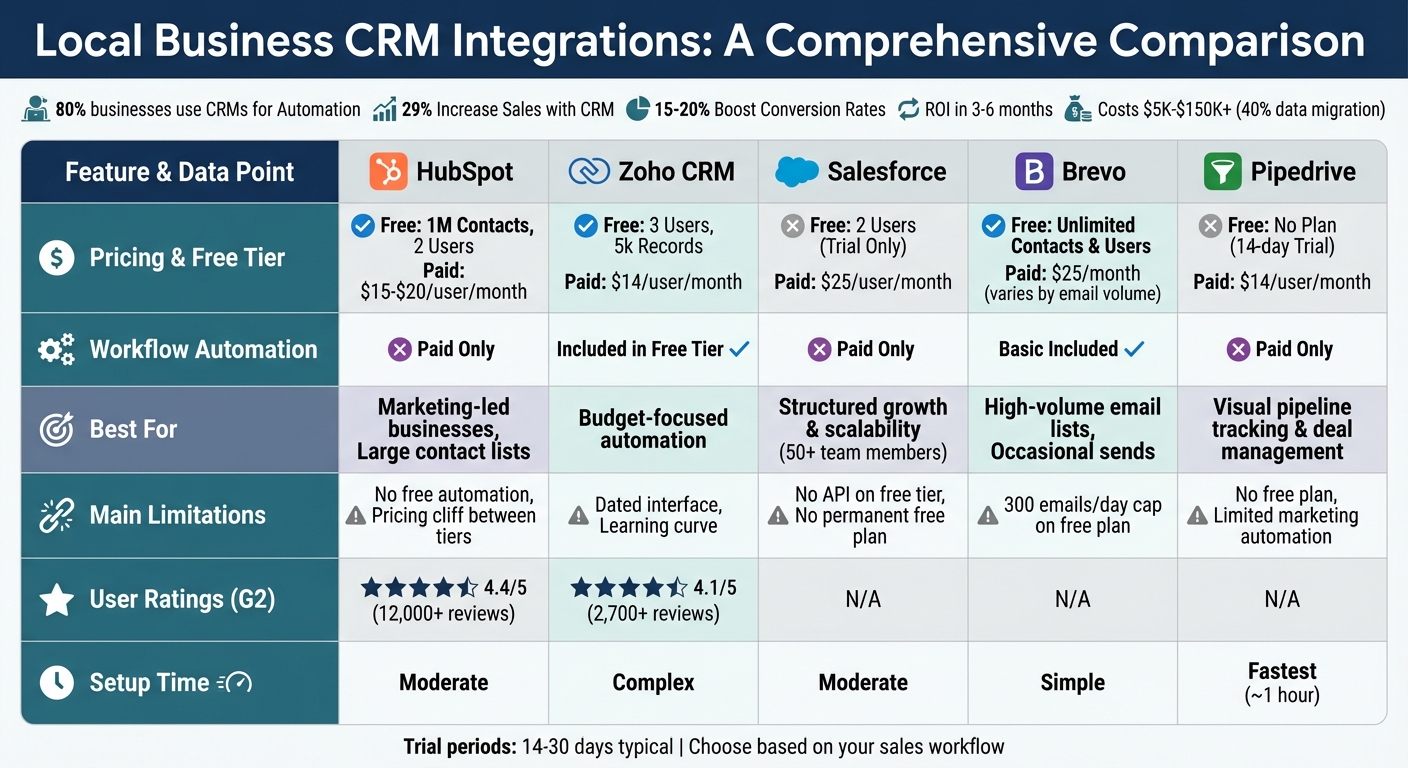
CRM Integration Comparison: Features, Pricing, and Best Use Cases for Local Businesses
Heyflows HubSpot Integration: How to connect your Funnel Builder to your CRM
sbb-itb-e3aed85
Top CRM Integrations for Local Business Funnel Builders
CRM integrations can save you time and effort by automating lead capture and follow-up processes. These tools eliminate the need for manual data entry, ensuring your leads are managed efficiently and no opportunities slip through the cracks. Whether you're looking for budget-friendly options or systems built for larger operations, there’s a CRM integration to suit your needs.
HubSpot Integration
HubSpot is a standout choice, especially for businesses exploring CRM tools for the first time. Its free tier is generous, offering unlimited users and support for up to 1 million contacts. This makes it an excellent way to test the waters without spending a dime. HubSpot shines in inbound marketing automation, integrating seamlessly with platforms like WordPress forms and WooCommerce to capture leads and initiate follow-ups instantly. Features like email automation, meeting scheduling, and live chat are included in the free version. If you decide to upgrade, paid plans start at $15–$20 per user per month.
That said, users often mention a "pricing cliff" when moving from the Starter to Professional tiers. To get the most value, stick with the free version until you've fully utilized its features. It's worth noting that over 80% of businesses now rely on CRMs primarily for automating processes.
Zoho CRM Integration
Zoho CRM is a great pick for businesses on a tight budget. Its free plan supports up to 3 users, and paid options start at $14 per user per month. One of Zoho’s strengths lies in its deep integration with its ecosystem, including tools like Zoho Books, Projects, and Inventory, allowing for smooth data sharing. It also connects with ecommerce platforms and lead capture tools, automating the flow of prospect information and follow-up actions.
However, Zoho’s interface can feel a bit dated compared to competitors, and there’s a learning curve to fully understand its features. Still, for cost-conscious teams, it offers excellent functionality and scalability.
Salesforce Integration
Salesforce Essentials brings enterprise-level features to smaller businesses at $25 per user per month. It’s packed with tools like lead tracking, task automation, and a mobile app that’s perfect for managing customer relationships on the go. The platform supports email integration with a limit of 500 emails per day and connects to an impressive library of over 7,000 apps.
This makes Salesforce ideal for businesses aiming for rapid growth, especially those in service industries like real estate or home repair, where sales teams need quick access to customer data in the field. That said, Salesforce might be overkill for very small operations. It also lacks a permanent free plan, offering only a 30-day trial. If you’re planning to expand to a team of 50+ or need advanced customization, Salesforce is worth considering.
Brevo CRM Integration
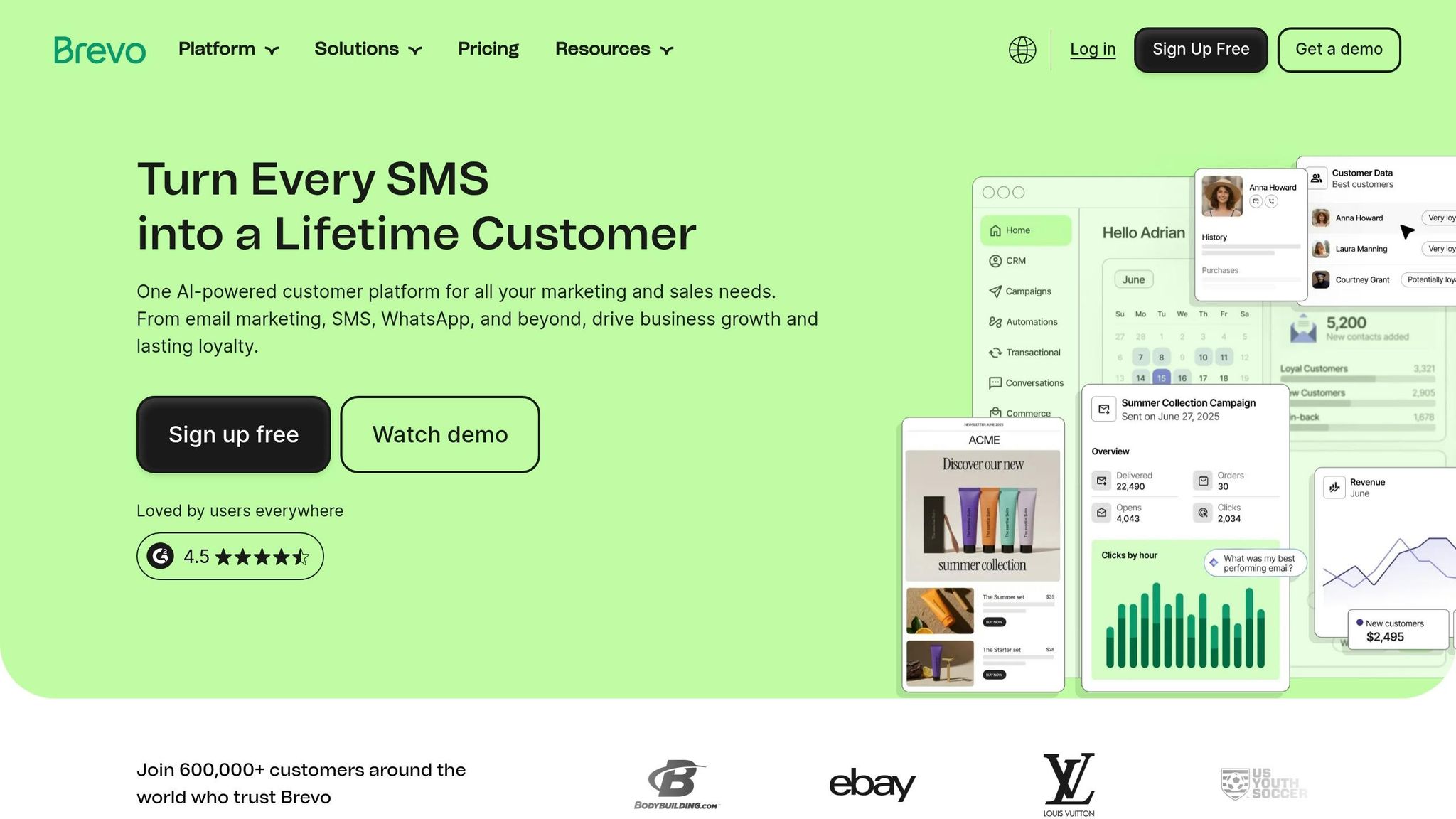
Brevo (formerly Sendinblue) offers a practical solution for businesses with modest email needs. Its free plan allows unlimited contact storage and up to 300 daily emails. This makes it a solid choice for businesses with large mailing lists but lower daily email volumes, such as seasonal businesses or those with annual customer check-ins.
Brevo integrates easily with WordPress through a dedicated plugin and includes visual pipeline management to help track prospects through various stages. Its intuitive interface caters to business owners who need marketing automation without technical headaches. Paid plans start at $25 per month, scaling based on email volume rather than the number of contacts. Brevo is ideal for businesses that prioritize straightforward customer communication over complex sales processes.
Pipedrive Integration
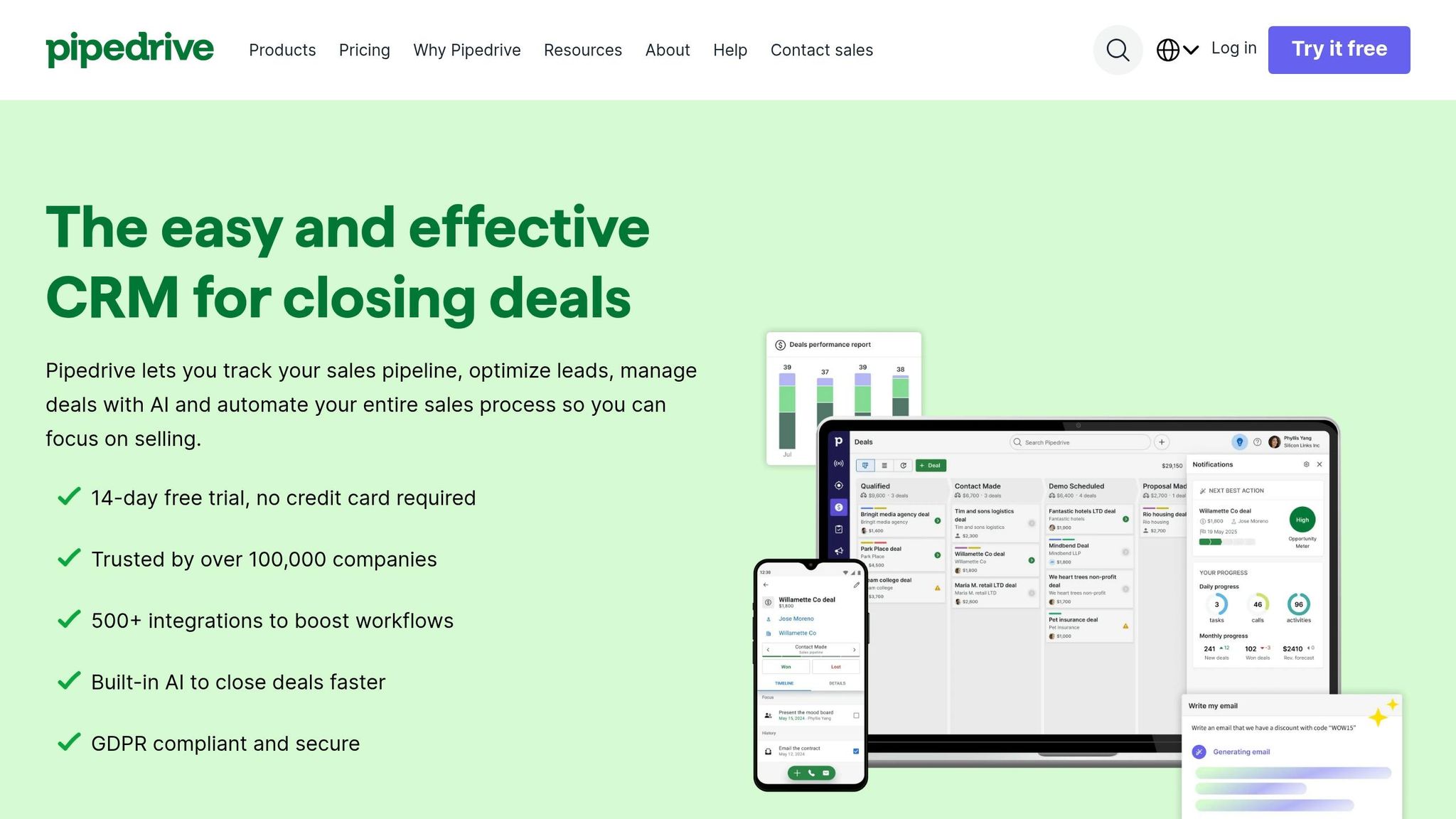
Pipedrive focuses on visual, activity-based sales pipeline management, making it a favorite among service-oriented businesses. Its drag-and-drop interface allows you to track deals through customizable stages like Inquiry, Quote Sent, Follow-up, and Closed. This setup provides instant clarity on where each prospect stands.
With pricing at $14–$14.90 per user per month, Pipedrive is competitively priced and includes a 14-day trial. The platform features no-code integration options and an AI Sales Assistant that suggests next steps based on deal activity. It’s also praised for its quick, one-hour setup time. However, Pipedrive’s focus on sales pipeline management means it offers limited marketing automation. It’s a great fit for teams that spend more time closing deals than nurturing long-term email campaigns.
Here’s a quick comparison to help you choose the right CRM for your business:
CRM Integration Comparison Table
This table outlines the main differences among popular CRM integrations, helping you identify which best SaaS software solutions align with your business needs.
| Feature | HubSpot | Zoho CRM | Salesforce | Brevo | Pipedrive |
|---|---|---|---|---|---|
| Free Tier Users | 2 users | 3 users | 2 users | Unlimited | None (14-day trial) |
| Contact Limit | 1,000,000 | 5,000 records | Not specified | Unlimited | N/A |
| Workflow Automation | Paid only | Included in free tier | Paid only | Basic included | Paid only |
| Starting Price | $15–$20/user/month | $14/user/month | $25/user/month | Varies by email volume | $14/user/month |
| Best For | Marketing-led businesses | Budget-focused automation | Structured growth & scalability | High-volume email lists | Visual pipeline tracking |
| Main Limitation | No free automation | Dated interface | No API on free tier | 300 emails/day cap | No free plan |
| G2 Rating | 4.4/5 (12,000+ reviews) | 4.1/5 (2,700+ reviews) | Not specified | Not specified | Not specified |
| Setup Time | Moderate | Complex | Moderate | Simple | ~1 hour |
Each CRM offers unique strengths tailored to different business priorities, from automation and scalability to ease of use and pricing.
For those looking for a cost-effective solution, Zoho CRM provides workflow automation in its free plan, making it a solid choice for small businesses wanting to streamline SaaS solutions for business operations like lead assignment and follow-ups without extra expenses.
HubSpot stands out for its massive contact capacity - up to 1,000,000 on the free tier. This makes it a great option for businesses managing extensive email lists or running multiple campaigns.
If you're aiming for long-term growth, Salesforce offers a robust platform designed for scaling. However, the absence of a permanent free plan may be a drawback for startups or smaller teams.
Brevo offers unlimited contacts in its free plan but limits daily email sends to 300. This works well for businesses focusing on occasional newsletters rather than frequent outreach.
Finally, Pipedrive, despite lacking a free tier, is priced at $14/user/month and features an intuitive visual pipeline. This makes it ideal for teams prioritizing deal tracking and sales progression.
How to Choose the Right CRM Integration
Selecting the right CRM integration means matching its features to your specific business needs using a comprehensive SaaS solutions directory. Here's how to make an informed choice:
Start by identifying your sales process. For inbound sales, you'll need features like lead scoring and form integration. Outbound sales, on the other hand, benefit from tools like email sequencing and call logging. If your business thrives on relationships, focus on basic contact management and reminders to keep track of interactions.
Next, calculate the total cost of ownership. Subscription fees are just one part of the expense. Implementation costs can range from $5,000 to over $150,000, with data migration often accounting for about 40% of this. Additionally, expect to dedicate 5–20 hours per week to CRM administration. As DesignRevision Admin points out:
"The sticker price of a crm for saas companies tells you almost nothing... The subscription price is 40-60% of the total cost".
Take advantage of a trial period, typically 14–30 days, to test essential workflows like email synchronization, dashboard functionality, and key integrations [12, 23]. Keep in mind that CRMs usually take 3–6 months to show a return on investment, so prioritize ease of use during the setup phase [12, 23].
Start small. Choose a basic plan that addresses your immediate needs instead of paying for advanced features you might not use. A well-implemented CRM can lead to a 29% increase in sales [23, 24].
Finally, ensure the CRM offers a strong mobile app. This is especially important for field teams who need to update deals on the go. Regularly reassess your CRM - every 6–12 months - to ensure it continues to align with your business as it evolves [12, 23].
Conclusion
CRM integrations simplify the sales process for local businesses by bringing data together and automating crucial tasks. When tools like lead capture forms, marketing automation tools, and support desks are connected, they create a unified system that every team member can trust. This setup ensures prospects get timely follow-ups, keeping their interest alive.
For small startups, a well-organized CRM can increase conversion rates by 15%–20%. By automating follow-ups and using AI chatbots to score and enrich leads in real time, businesses can focus on high-priority opportunities.
The right CRM integration tackles common challenges by offering actionable recommendations and alerts for deals that may be stalling, keeping the sales pipeline active. Whether you choose HubSpot for its free features, Pipedrive for its user-friendly design, or Salesforce for its robust customization, it’s important to pick a CRM that aligns with your sales workflow. Start with basic fields to encourage team participation, and gradually add advanced automation as your system evolves. Always test critical integrations during a 14–30 day trial period before making a final decision. These integrations not only improve efficiency but also lay the groundwork for long-term growth.
Explore the CRM options mentioned in this guide to find the best fit for your local business. By adopting the right CRM, you can build a more efficient, responsive sales funnel that reduces delays, closes more deals, and minimizes administrative tasks.
FAQs
Which CRM is best for my type of local business?
The best CRM for your business depends on factors like your team size, the industry you operate in, and how much automation you require. Here's a quick breakdown:
- Capsule CRM: Perfect for smaller teams with fewer than 10 members. It's easy to use and keeps things simple.
- Pipedrive: Ideal for sales-driven businesses that need a visual pipeline to track deals. Pricing starts at $14 per user per month.
- HubSpot CRM: A free option that’s scalable as your business grows. It includes marketing automation but can become more expensive over time as you add features.
- Zoho CRM and ActiveCampaign: Both are excellent for businesses that need advanced features or rely heavily on automation.
Each of these tools has its strengths, so the right choice will depend on your specific needs and priorities.
What should I test during a CRM integration trial?
When conducting a CRM integration trial, it's crucial to test the core features to confirm everything functions as expected. Start by verifying that data transfers correctly between your CRM and any connected tools, such as lead forms or marketing platforms. Pay close attention to the synchronization of key elements like contact details, interaction records, and workflows.
Make sure automation tools, like lead routing and notification systems, operate without a hitch. Additionally, double-check that user permissions are correctly applied and that no issues like data duplication arise during the process. This thorough testing ensures a reliable and efficient integration.
What hidden costs come with switching CRMs?
Switching to a new CRM often comes with unexpected expenses that go beyond the upfront license fee. These can include fees for payment gateways, costs tied to native ad-budget controls, and integration-related charges. Such hidden costs can quickly add up, significantly increasing the total cost of ownership.